TurboCAD v26 Deluxe 日本語版
¥63800¥53800
TurboCAD Deluxeの概要
TurboCAD Deluxeは、個人プロジェクト、中小企業の設計業務、学生、そして一般的なCADニーズに最適な、強力な製図、モデリング、ビジュアライゼーションツールを備えた必須の2Dおよび3D CAD設計ソフトウェアです。ベーシックなDesignerエディションと、より高度なProfessional/Platinumエディションの中間に位置し、エントリーレベルよりも多くの機能を備えながら、習得の容易さと手頃な価格を実現しています。
対象者
TurboCAD Deluxe は次の用途に最適です。
CAD の基礎を学習する学生と教育者。
コスト効率の高いデザインソリューションを必要とする中小企業やフリーランサー。
設計図、木工、リフォームのビジュアル、製品デザイン、または 3D プリント可能な部品を作成する建築愛好家やメーカー。
これは基本的な 2D 製図ツールから優れたステップアップであり、ハイエンド システムの複雑さ (またはコスト) なしで 3D モデリングとレンダリングを提供します。
コア機能
直感的なUIと優れたパフォーマンス
ハンドルベースの正確な編集
インテリジェントなパラメトリック建築オブジェクト
強力な2Dおよび3D製図と設計
洗練された注釈コントロールを実現する多機能テキスト編集
包括的な3Dモデリング:プリミティブ、ブール演算、回転、押し出し
TurboCAD Deluxe を選ぶ理由
✔ バランスの取れたツールセット:強力な2D製図機能と優れた3Dモデリング機能を、複雑さを極限まで抑えて組み合わせています。
✔ 手頃な価格:ミッドレンジの価格帯で、永久ライセンスオプション(一括購入)もご用意しています。
✔ チュートリアル、ワークスペーステンプレート、UI補助機能など、初心者から経験豊富なユーザーまで幅広くご利用いただけます。
✔ 幅広い相互運用性により、既存のCADワークフローやファイル交換との統合が容易です。
包括的な2D/3D製図とモデリング正確な線画、曲線、スプライン、高度なサーフェス モデリングのための完全なツール スイートです。 | 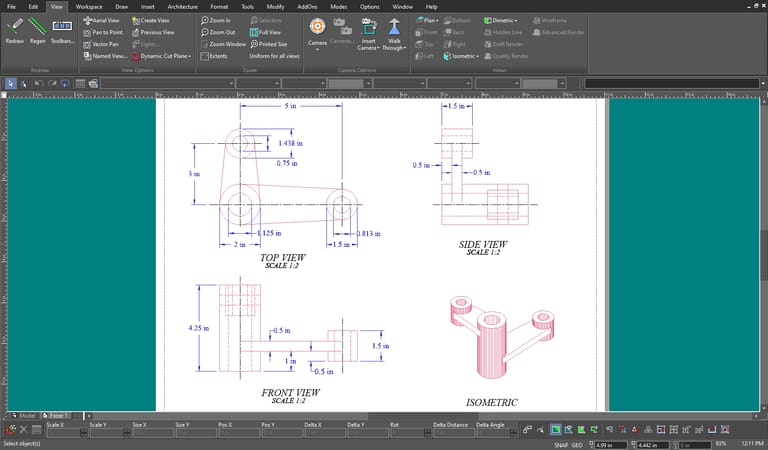 |
|---|---|
フォトリアリスティックレンダリングとレイトレーシングプロフェッショナルなプレゼンテーションのためのリアルな照明と影の効果を備えた高品質の視覚化。 |  |
パラメトリック建築オブジェクトとハウスビルダーウィザード自動化された部屋のレイアウトを含む建築設計ワークフローを効率化する、インテリジェントで属性が豊富なオブジェクト。 | 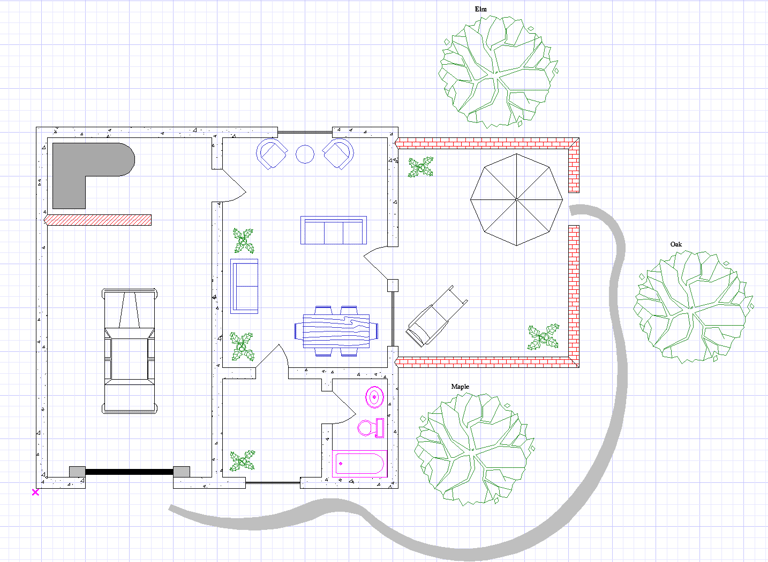 |
ブール演算と押し出しツール3D モデルを効率的に結合、減算、および成形するための高度な操作。 | 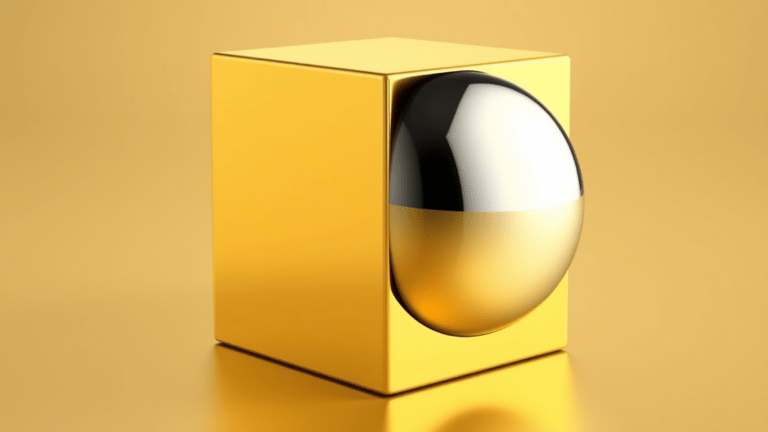 |
|---|---|
テキスト編集、注釈、精密製図ツール番号付きリスト、箇条書き、複数列のサポート、スマート寸法記入、関連中心線、スマートコネクタ付き基本図形などを備えた拡張テキスト ツール。 | 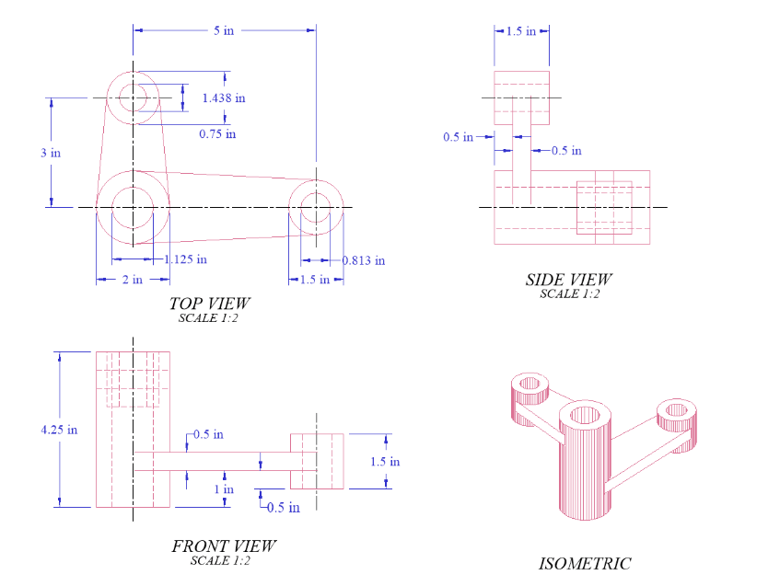 |
相互運用性とファイル互換性 | DWG、DXF、SketchUp、3D 印刷ファイル タイプなどの業界標準の CAD 形式を幅広くサポートし、幅広い互換性を確保します。 |
動作環境
64ビット
OS: 日本語版 Microsoft Windows 11、Windows 10、Microsoft Windows 7
RAM: 8GB以上
モニター: 1024 x 768 / High Color (16ビット) 以上
その他: DVD-ROMドライブ、Intelli Mouse